Logged in seconds.
Date, amount, category. A purchase takes about five seconds to enter.
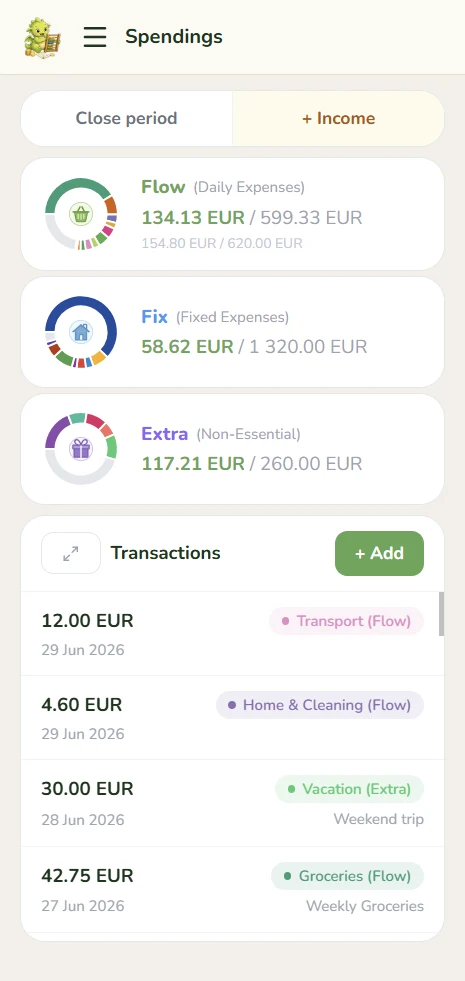
A budgeting app I designed and built because my month starts on payday, not on the 1st. It splits each paycheck into four buckets and carries whatever is left into the next period.
 gohoardly.com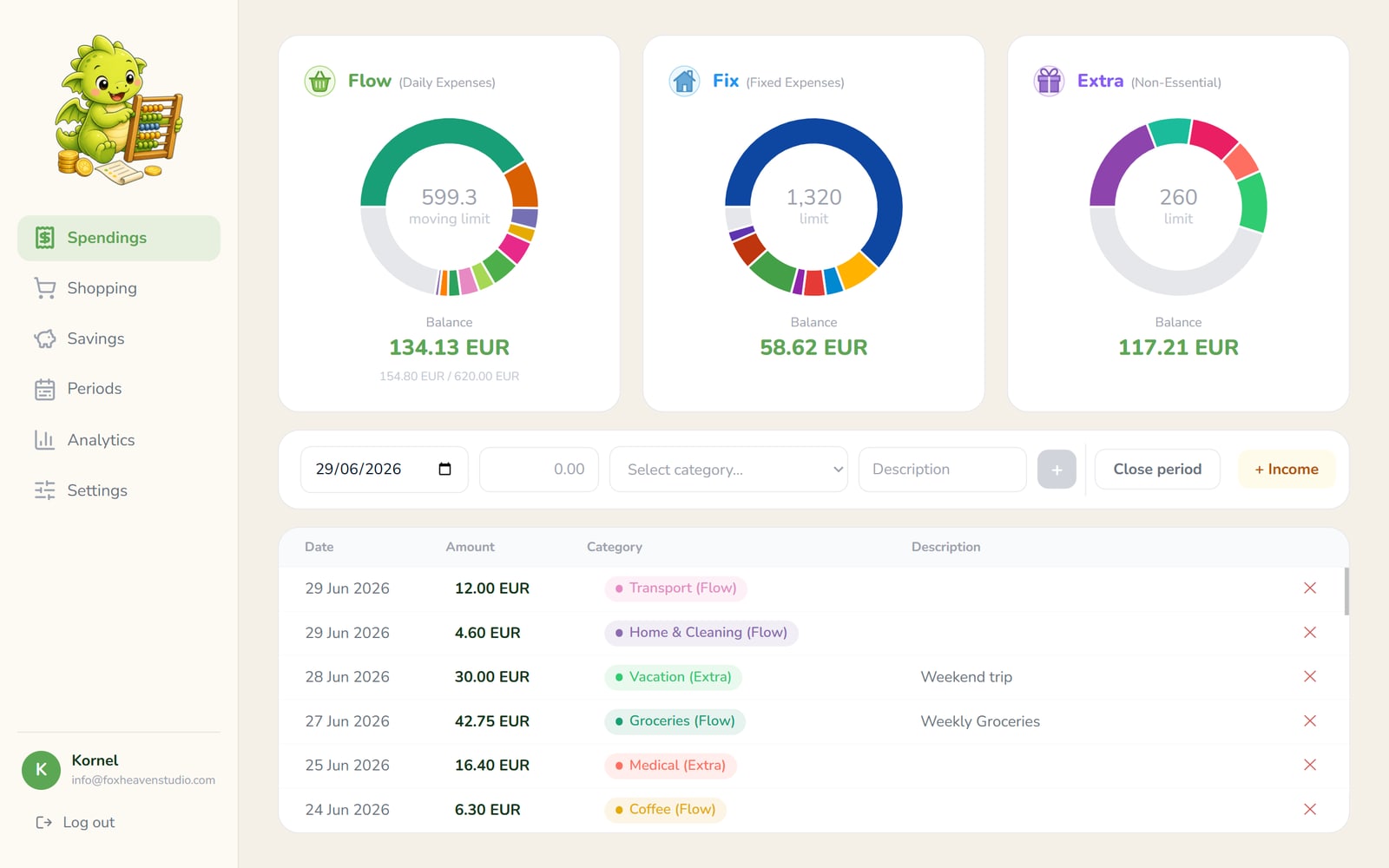

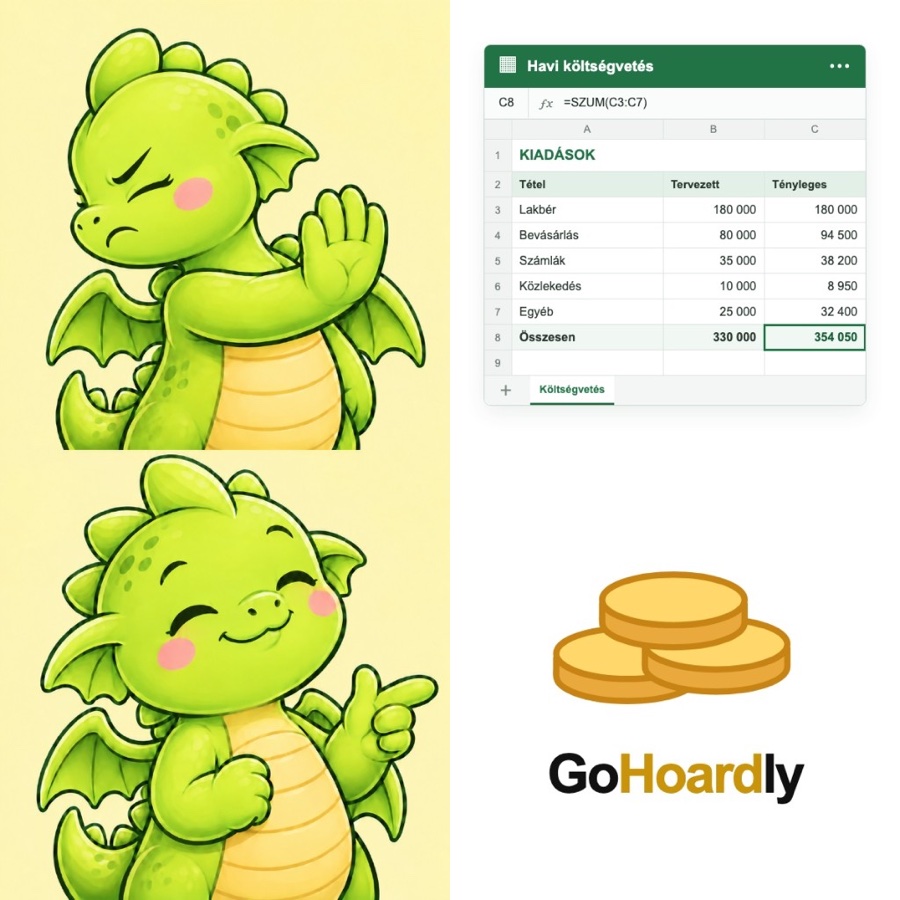
For years, my budget lived in Excel, held together by complex formulas and a lot of manual copying.
Over time, keeping it up became a real struggle, and on the phone it was close to unusable. The apps on the market didn’t help either: they were far more complex than they needed to be, and they all assumed my month starts on the 1st, not on payday.
So GoHoardly became one of my first projects built with AI: a personal finance app made first of all for me and my friends, where a period starts when the salary arrives and ends the day before the next one.
Groceries, coffee, transport. The budget grows a little every day, so you always know whether you’re ahead or behind.
Rent, utilities, insurance and subscriptions. Money that already has an owner, even if it leaves weeks later.
The jacket you fall in love with or a small gadget. Whatever you don’t spend carries over to the next period.
Set aside on day one, logged automatically when the period closes, and split between named goals.
The whole app is built around one thought: a bank balance isn’t a financial status. Money already promised to rent, bills or savings isn’t free to spend, so GoHoardly shows what’s left in each bucket instead.
I split Flow across the days of the period, so by day 17 of 30, 17/30 of it is unlocked. I wanted overspending to show up right away, not at the end of the month when it’s too late.
Date, amount, category. A purchase takes about five seconds to enter.
Extra income or a refund is logged just like an expense.
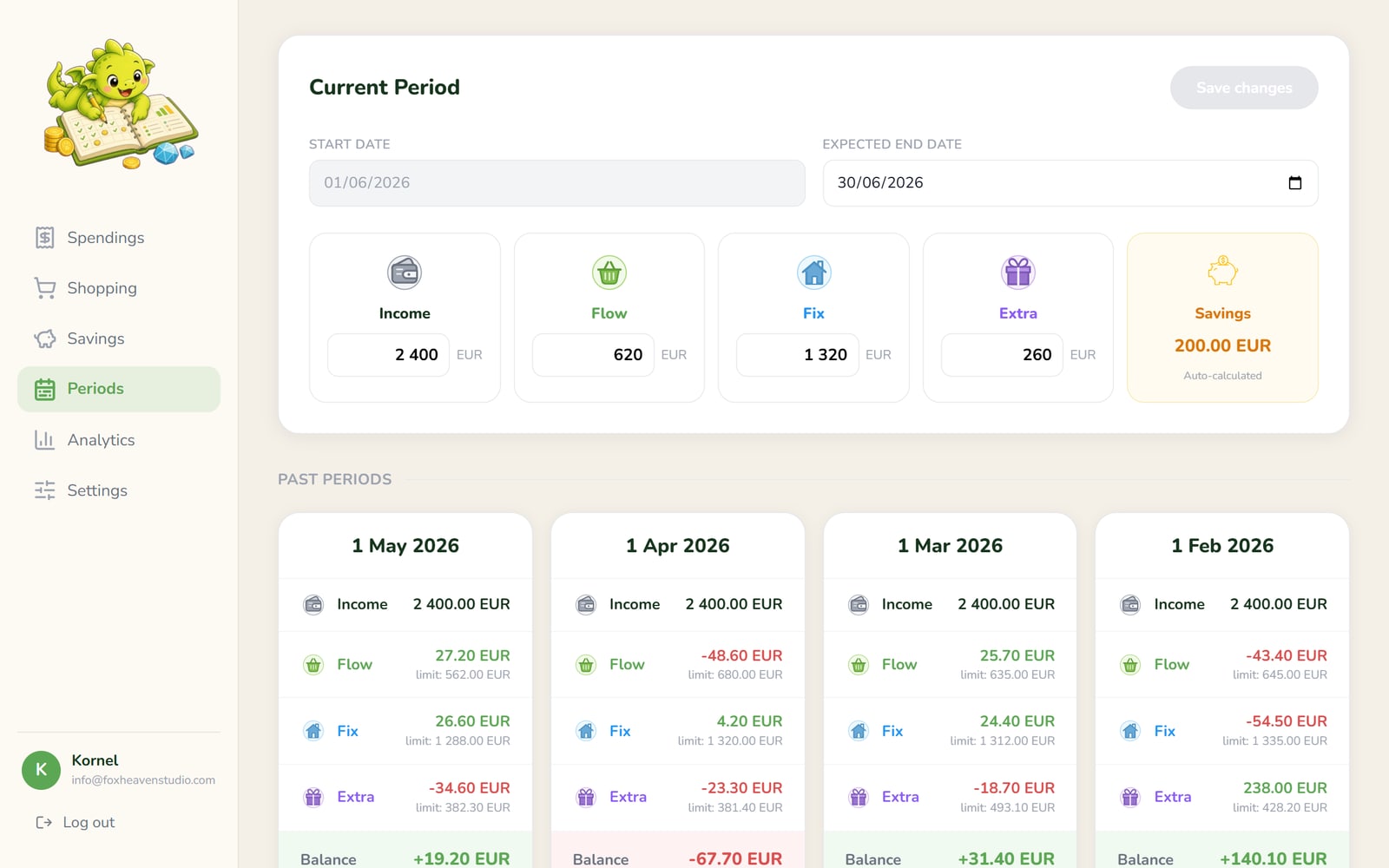
A period has no end date. When the salary arrives, it gets closed and a new one starts. Whatever is left in Flow, Fixed and Extra moves into the next period’s Extra budget. Savings stay separate and never take part in the carryover.
Every closed period adds its savings automatically. The total is split between named goals that fill up one by one, while the dragon guards whatever isn’t assigned yet.
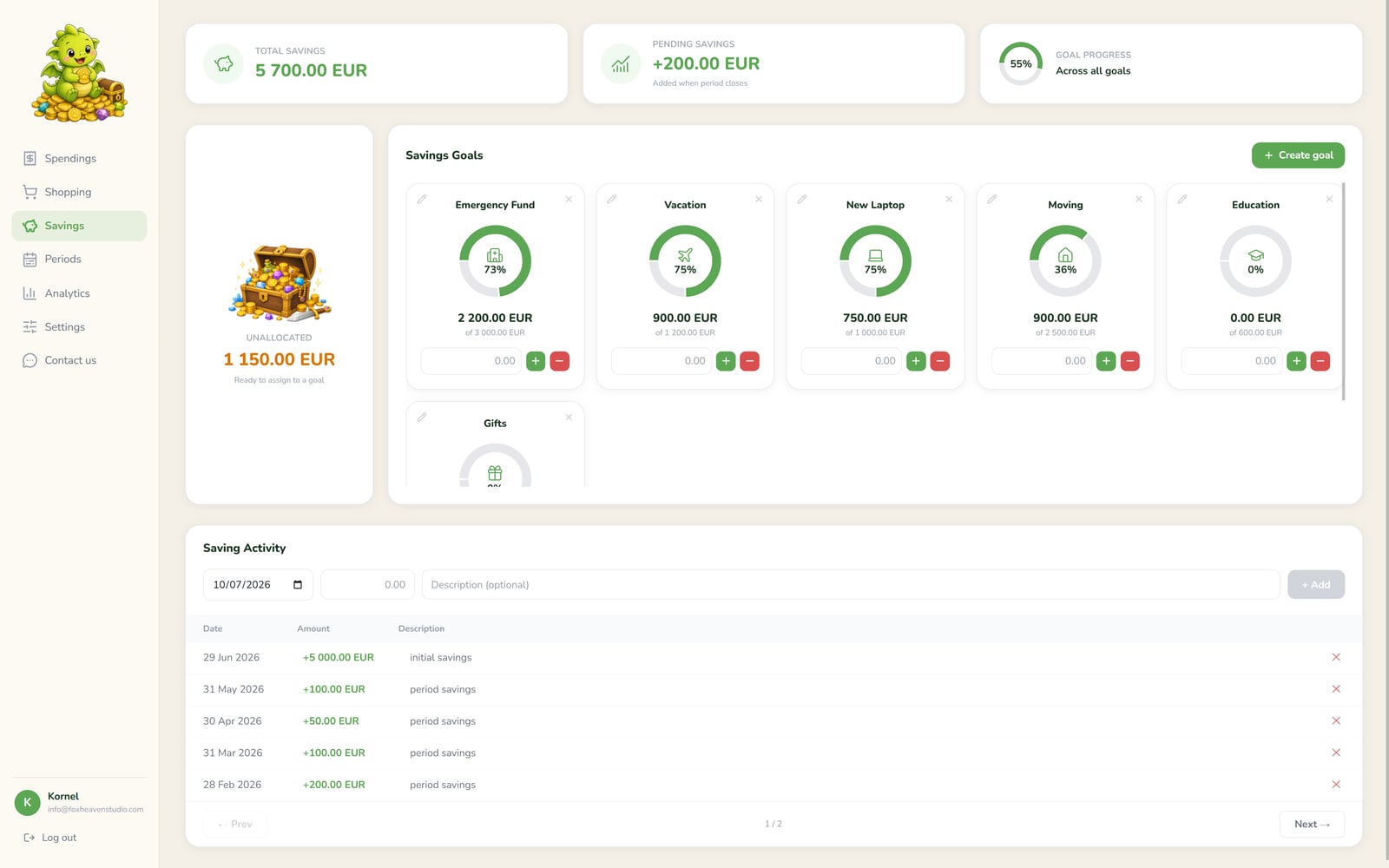
Emergency fund, vacation, a new laptop, each with its own progress ring.
Got a bonus? Add it directly to your savings.
Works as a web app on the phone and the desktop, and installs to the home screen.
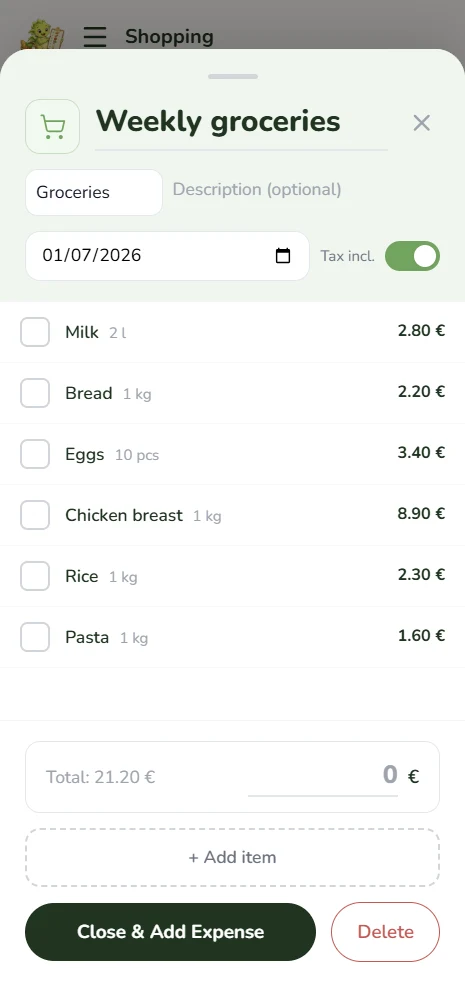
Add to the list, shop, check items off. The total is logged as a spending, with tax added if prices don’t include it.
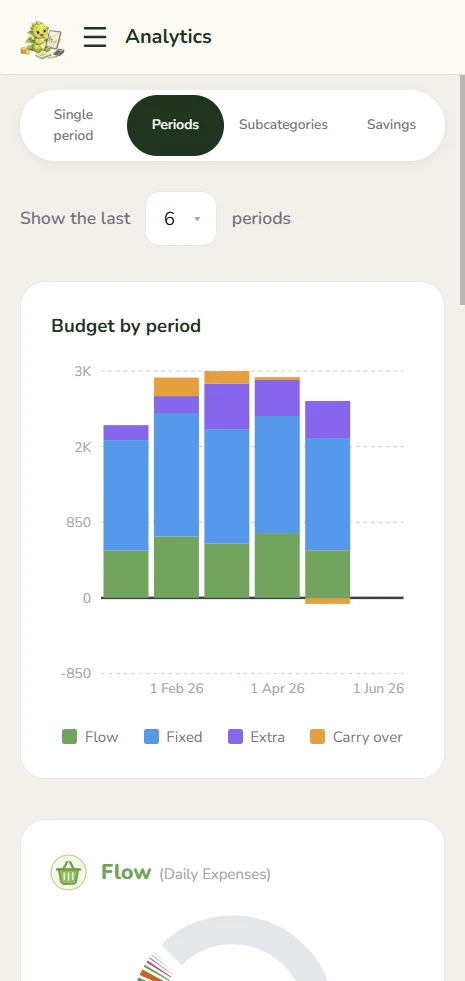
One month is noise. Compare pay cycles side by side and drill into any subcategory over time.
There’s no bank sync. Entering a purchase by hand sounds old-school, but it keeps you honest and keeps your bank login out of the app.
Data is stored in the EU, with no third-party tracking. Every table is locked to its owner in the database itself.
Most budgeting apps track what you already spent. GoHoardly splits the money first, so “can I afford this?” has a real answer.
A single-page app with Tailwind and Recharts, installable as a PWA. The public pages are prerendered for search engines.
Postgres with row-level security, plus email and Google sign-in. There’s no custom backend.
The app and a separate admin app are deployed from the same repository.
Whether you’re hiring or exploring what AI could do for your team, I’d be glad to hear from you.